
Loop Engineering in MCPlato: From Prompts to Workflows That Leave Artifacts
A practical guide to using Loop Engineering in MCPlato: how to turn one-off AI prompts into observable, recoverable work loops with checkpoints, permissions, and durable artifacts.
Loop Engineering in MCPlato: From Prompts to Workflows That Leave Artifacts
Answer first: Loop Engineering is not about writing a longer prompt. It is about designing a work loop that can observe its inputs, keep state, pause at checkpoints, recover from failure, ask for human approval, and leave behind an inspectable Artifact. In MCPlato, that loop can become a Wand, a Skill, a Scheduled Task, a channel workflow, or a Sprite-coordinated set of sessions.
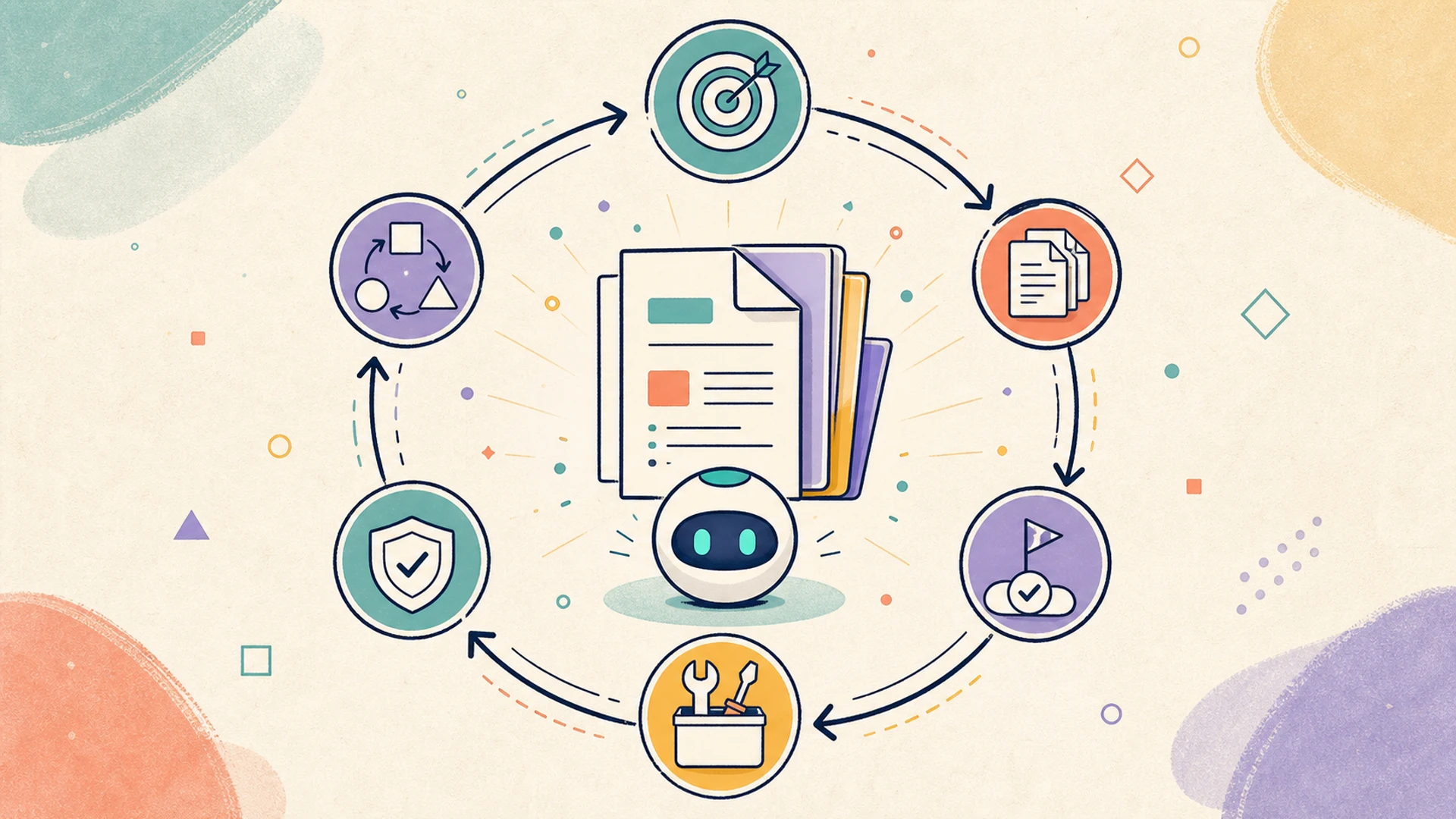 Loop Engineering in MCPlato cover illustration
Figure 1: Loop Engineering turns one-off AI requests into work cycles that produce durable artifacts.
Prompt Engineering asks: how should I ask? Loop Engineering asks: how should AI keep working safely until the artifact is done?
That distinction matters because real work rarely finishes in one response. Maintainers need fixes with test evidence; product leads need briefings with sources and timestamps; operations teams need report packages with audit trails; business owners need approval before external or destructive actions.
The right unit of design is therefore the loop.
The MCPlato loop design method
A good loop has three properties:
- Observable: the user can see sources, state, actions, and results.
- Recoverable: work can resume from a checkpoint instead of restarting from scratch or repeating itself.
- Artifact-centered: the loop ends in something inspectable: a report, diff, spreadsheet, package, decision log, briefing, draft, or review record.
MCPlato maps naturally to this model:
- Wand: a packaged workflow for a repeatable job, with phases, guidance, and a visible artifact-oriented runtime.
- Artifact: the durable output that proves the loop did useful work.
- Sprite: the coordinator that can split work across sessions and bring results back together.
- Skill and Distill Skill: reusable know-how that can be invoked again after a loop proves itself.
- ClawMode: a way for work to continue across time, channels, and background contexts.
- Scheduled Tasks and Channels: triggers and delivery paths for recurring loops.
- Permissions and checkpoints: boundaries that keep useful autonomy controlled.
A practical MCPlato loop usually follows nine steps:
| Step | Design question | Example output |
|---|---|---|
| 1. Define the goal | What artifact should exist at the end? | QA report, briefing, report package, approval record |
| 2. List input sources | Which files, URLs, apps, messages, or repositories may be used? | Issue link, website, spreadsheet, docs, channel thread |
| 3. Define state and memory | What must survive between turns or runs? | Progress log, source list, downloaded files, decisions |
| 4. Split into phases | What should happen first, next, and last? | Intake → plan → execute → validate → deliver |
| 5. Assign permissions | What can AI read, write, click, run, or send in each phase? | Read-only research, write patch, browser-only download |
| 6. Add checkpoints | Where must a human approve, edit, or redirect? | Plan approval, login handoff, risky action approval |
| 7. Define the Artifact | What proves completion? | Diff, table, cited memo, folder, before/after evidence |
| 8. Coordinate workers | Should Sprite split the work into specialist sessions? | Researcher, writer, tester, reviewer |
| 9. Distill the loop | Should the successful pattern become a Skill, Wand, Scheduled Task, or channel workflow? | “Weekly market briefing” Wand or channel task |
The rest of this article applies the method to four real user-demand scenarios found in public discussions and documentation.
Scenario 1: GitHub issue → fix PR → evidence-backed QA report
Open-source maintainers are already experimenting with agents that can pick up GitHub issues and attempt bounded fixes. OpenHands describes a GitHub resolver for repository issues, and its QA documentation focuses on validating changes rather than merely producing code.12 Maintainers need a patch, tests, and evidence that the change is safe enough for review.
A related risk appears in real developer feedback. A Continue GitHub issue reports an agent repeatedly looping on the same code instead of stopping cleanly.3 That is the failure mode Loop Engineering must address: uncontrolled iteration without a stop condition.
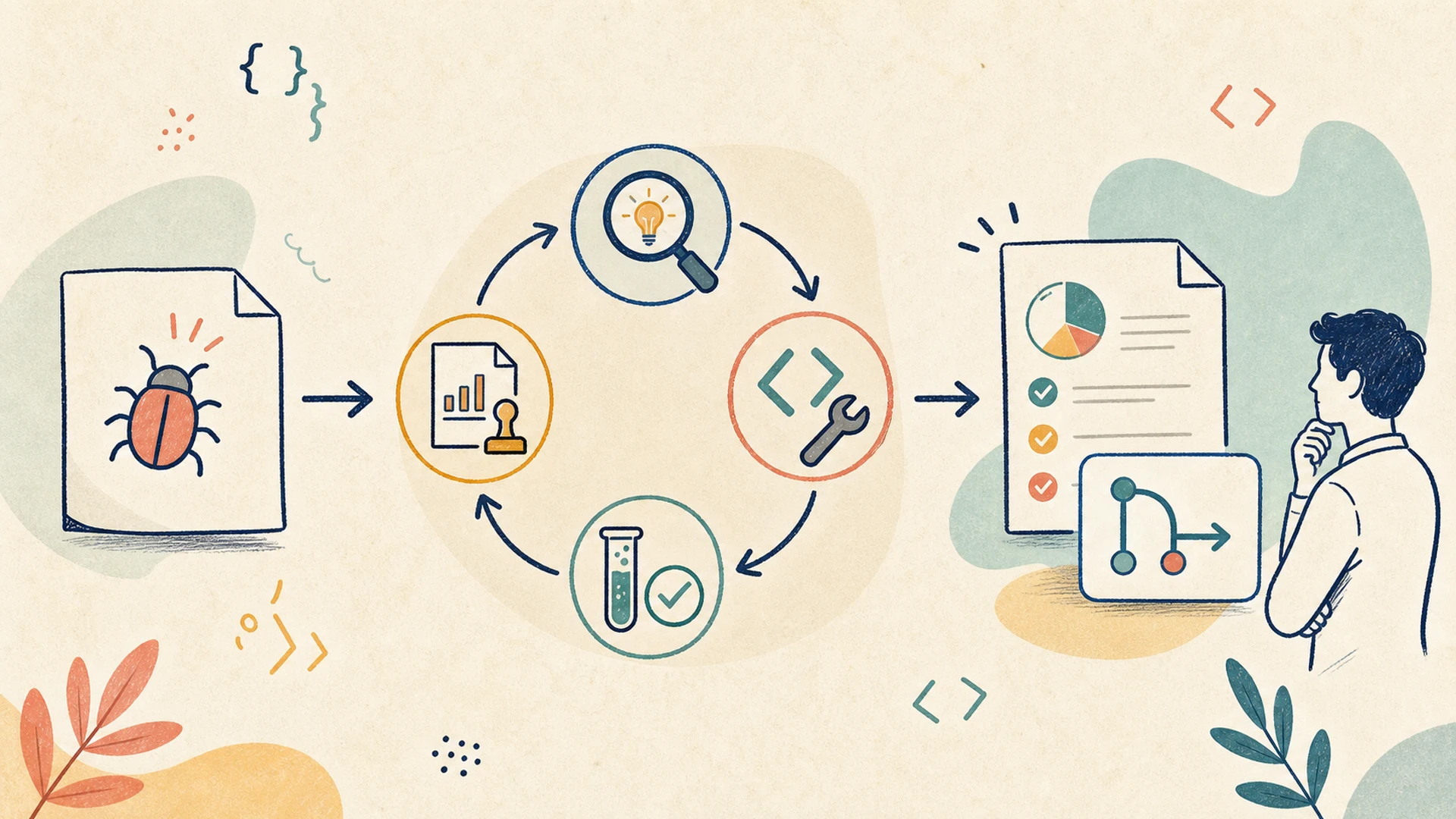 GitHub issue to QA evidence loop
Figure 2: A bounded engineering loop should produce a diff, validation logs, and a QA evidence artifact—not just a claim that the issue is fixed.
The loop design
In MCPlato, the loop should start from the artifact, not the model output:
- Issue intake: collect the issue, linked files, reproduction notes, and repository constraints.
- Plan checkpoint: ask the user or maintainer to approve the intended scope before editing.
- Patch phase: make the smallest reasonable change inside a scoped work area.
- Validation phase: run the agreed checks, record failures, and retry only within the approved scope.
- Evidence artifact: produce a QA report with changed files, test logs, screenshots if relevant, and remaining risks.
- Review gate: prepare a PR or MR description draft, but do not represent the work as merged or accepted.
- Distill: if the pattern works, turn it into a reusable repository QA Skill or a Wand for the team.
MCPlato implementation pattern
A Sprite-coordinated setup is useful here. One session can read the issue and draft the plan, another can inspect the repository, another can validate, and the final session can assemble the QA evidence artifact. A Wand can package the phases so the team does not reinvent the loop for every issue.
The important guardrail is the stop condition: the loop should stop after the validation budget is exhausted, after the same failure repeats, or when the change would exceed the approved scope. The artifact should say exactly what happened, not hide uncertainty.
Artifact: diff summary, test logs, QA evidence report, PR/MR description draft, and risk list.
Scenario 2: Scheduled research briefing that delivers the full result
Recurring research is another place where “prompt once” is too weak. Users discussing scheduled AI tasks have asked for complete results to be sent by email, not just completion notifications.4 Zapier’s overview of ChatGPT scheduled tasks describes the pattern of asking ChatGPT to run prompts in the future or on a recurring cadence.5 The practical gap is delivery quality: a useful scheduled loop should produce a briefing with links, timestamps, deltas, and action items.
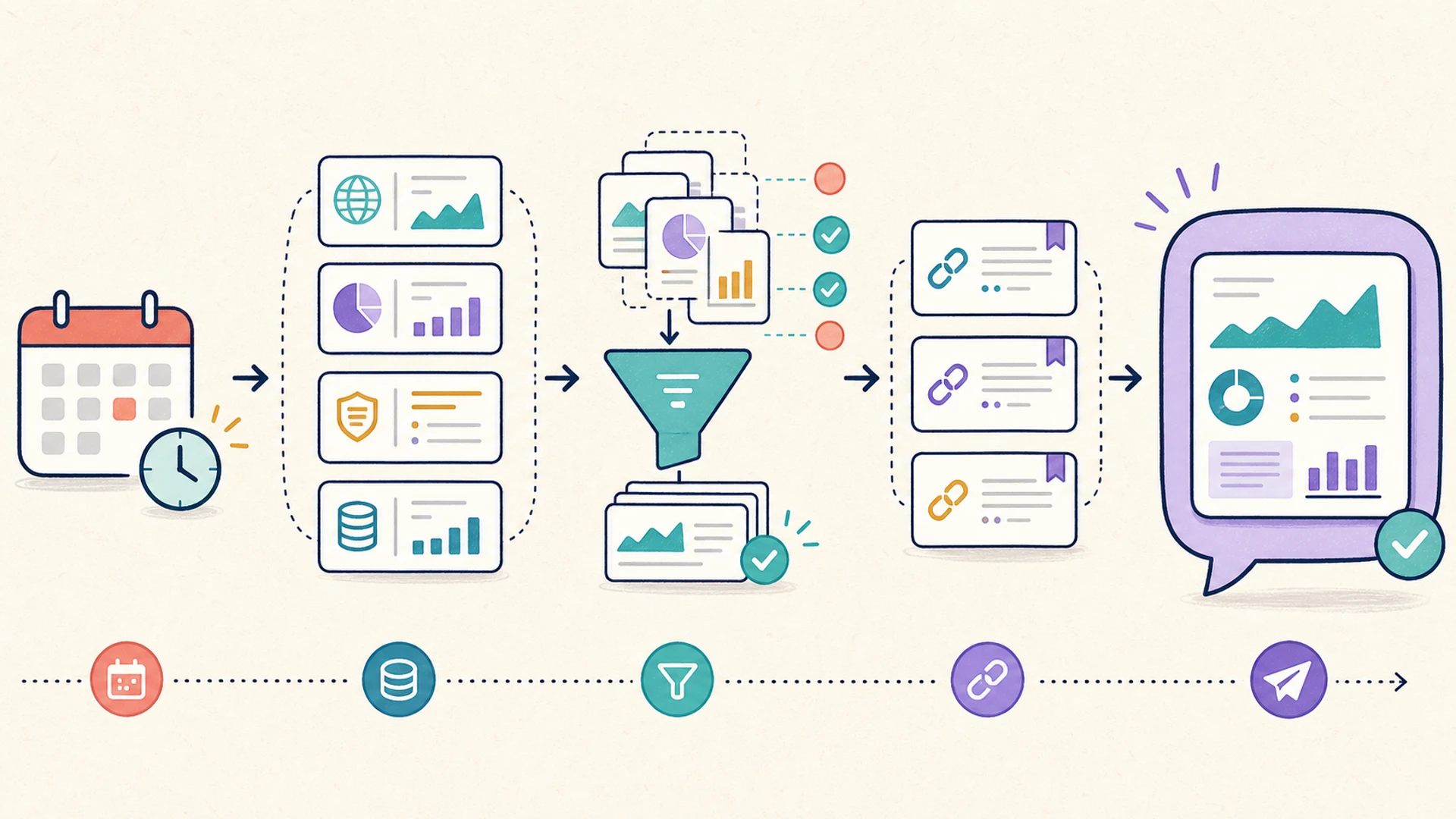 Scheduled briefing delivery loop
Figure 3: A scheduled loop should gather sources, deduplicate, synthesize, check citations, and deliver the full briefing artifact to the right channel.
The loop design
A MCPlato briefing loop can be:
- Scheduled trigger: run daily, weekly, or before a standing meeting.
- Source gathering: collect approved sources such as saved URLs, RSS-like feeds, documentation pages, or workspace materials.
- Relevance and deduplication: remove repeated announcements and low-signal items.
- Synthesis: write the briefing in a stable format.
- Citation check: ensure every concrete claim points back to a source URL.
- Artifact output: create a dated briefing with source list and action item table.
- Channel delivery: send the full artifact or a concise summary with a link to the artifact.
- Follow-up: let the user ask for deeper analysis, assign next actions, or distill the briefing loop.
MCPlato implementation pattern
This is where Scheduled Tasks, ClawMode, and channels work together. The scheduled task triggers the loop; MCPlato gathers approved context, produces the artifact, and delivers it to the workspace or channel. Sprite can coordinate separate workers for source collection, synthesis, and citation review when the briefing is high-stakes.
A briefing loop should never pretend it read sources it did not actually access. The artifact should include “not found” or “not checked” when information is unavailable. That honest state is more useful than a polished but unverifiable paragraph.
Artifact: daily or weekly briefing, source list, action item table, delta from the previous run, and citation notes.
Scenario 3: Browser login, parameter filling, report download, and local organization
Many business workflows still live behind web pages rather than clean APIs. A Stack Overflow question asks how to automate logging into a web page and downloading a report.6 In a Python.org discussion, a user describes downloading reports for about 50 clients, with 3 to 4 reports each, taking 3 to 4 hours every week by hand.7 That is a real operational pain point: repetitive, browser-bound, and easy to get wrong.
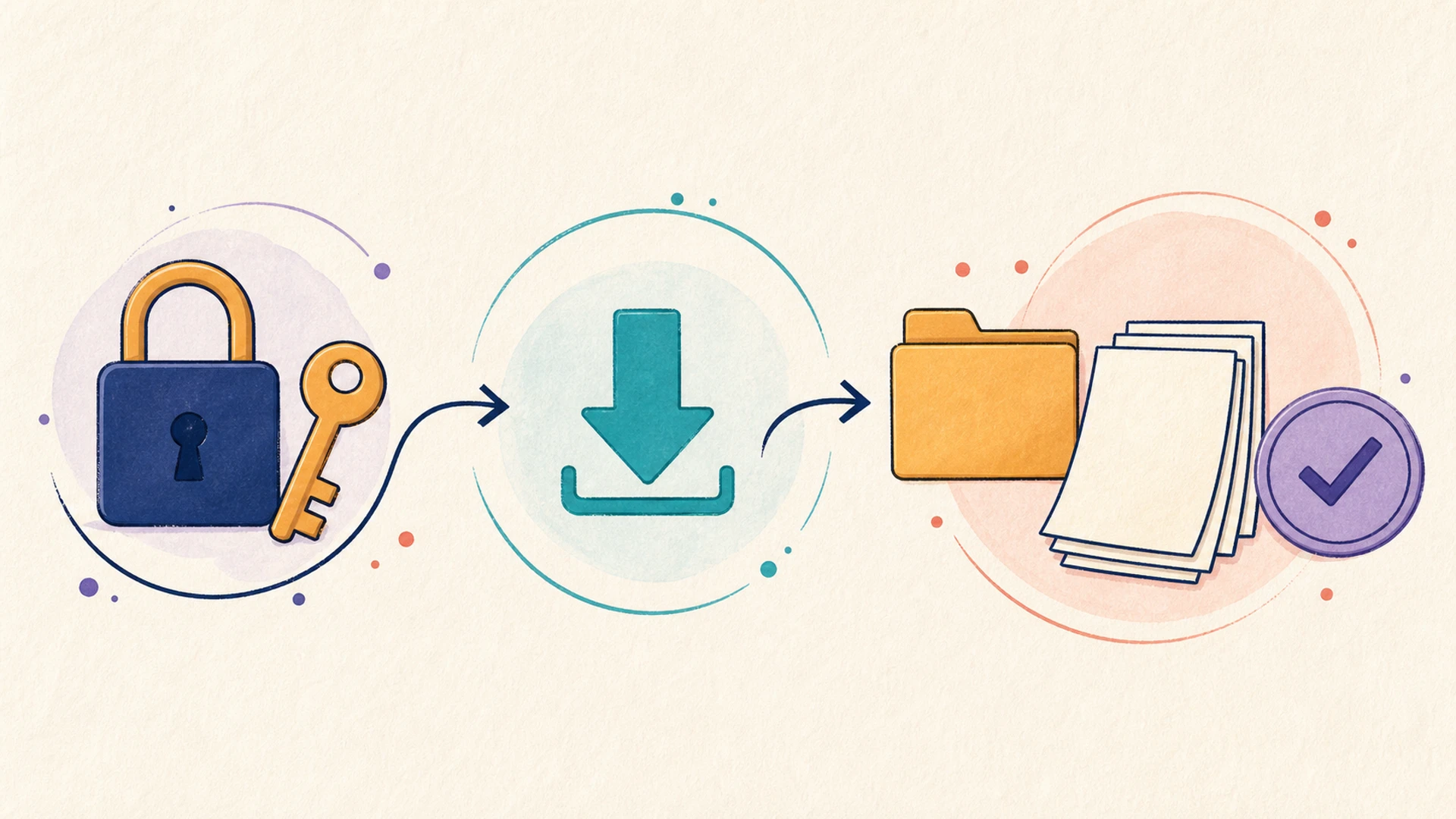 Browser report download loop
Figure 4: Browser automation should separate human login boundaries from repeated parameter, download, validation, and organization steps.
The loop design
A safe browser-report loop should be explicit about access boundaries:
- Requirement intake: list client names, report types, date ranges, and expected files.
- Access boundary: decide what the user must do manually, such as login, MFA, or CAPTCHA.
- Discovery and API check: verify whether a documented export or API exists before using browser automation.
- Browser automation: fill parameters, start downloads, and record each step.
- Validation: check file names, timestamps, expected counts, and obvious empty files.
- Transform: normalize folders, convert formats when appropriate, and build summaries.
- Exception report: list missing downloads, failed clients, or pages that changed.
- Scheduled repeat: run only the repeatable part on a cadence, with a human checkpoint when credentials or page structure changes.
MCPlato implementation pattern
MCPlato should not be framed as “it can handle any website.” Websites differ, logins change, policies matter, and some flows are intentionally resistant to automation. The better framing is: MCPlato can help design a controlled loop around the allowed, repeatable parts.
The user can handle the login checkpoint. The AI loop can then operate within the approved browser session, download reports, organize local files, and produce an exception artifact. If the website changes, the loop should stop and report the mismatch instead of guessing.
This kind of loop is often worth distilling into a Wand after a few successful runs. The Wand becomes the team’s repeatable “monthly report package” process, with clear phases and an output folder rather than a fragile transcript.
Artifact: downloaded report package, success/failure list, normalized folder structure, summary spreadsheet, and exception report.
Scenario 4: Human approval for risky tool calls
Loop Engineering is not only about doing more. It is also about knowing when to stop. A LangGraph issue asks for an approval-node pattern where users can approve, reject, or modify actions before execution.8 LangChain’s human-in-the-loop documentation describes pausing for review around tool calls.9
The risk examples are familiar: writing files, executing SQL, deleting data, publishing content, or sending email. Those are not just “agent steps.” They are business actions.
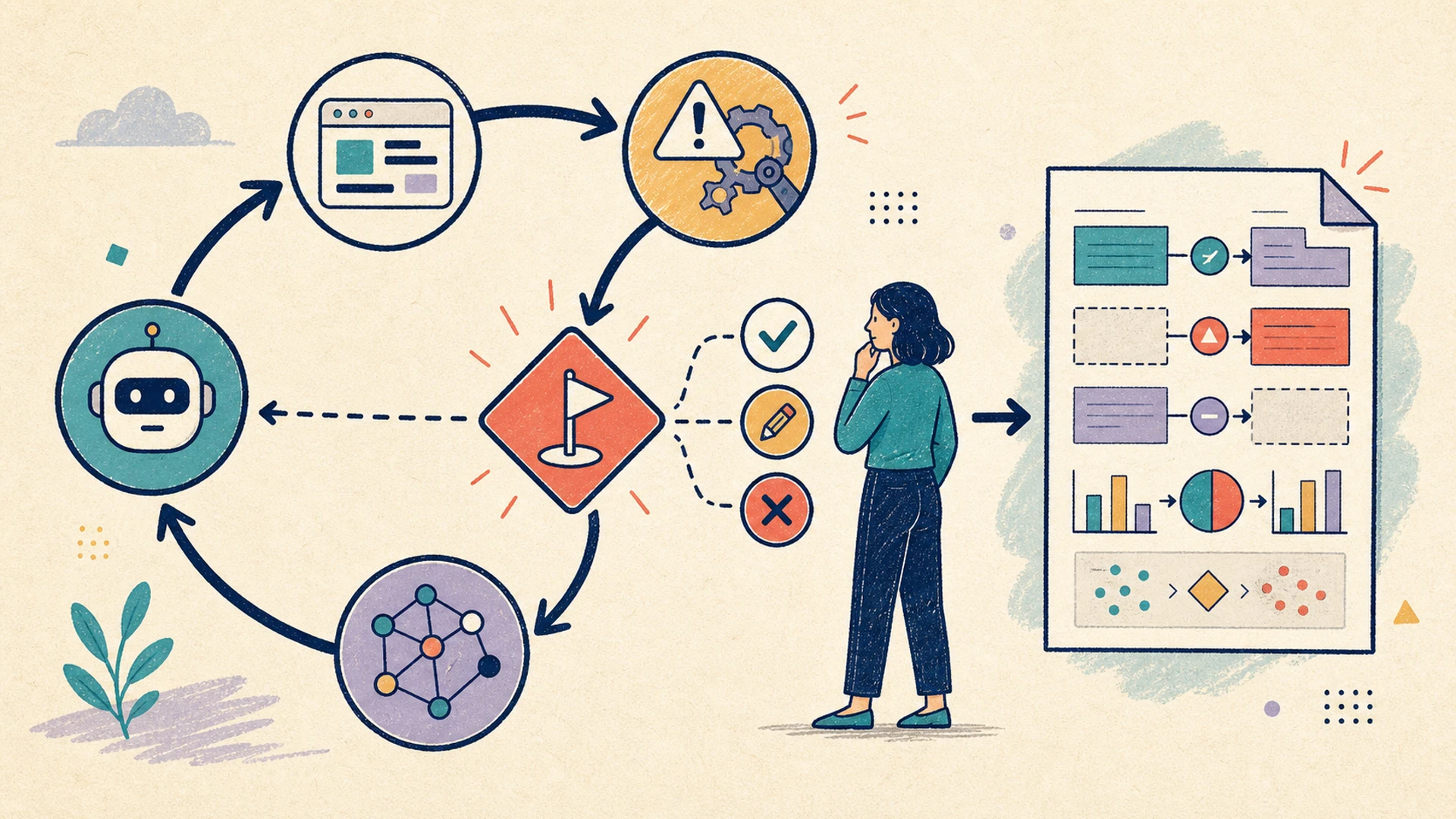 Human approval gate loop
Figure 5: A good loop pauses before risky actions, records the decision, and leaves evidence after execution.
The loop design
A risky-action loop should look like this:
- Risk classification: decide whether the next action is read-only, reversible, external-facing, destructive, or financial.
- Draft action: prepare the file change, SQL statement, email, post, or command without executing it.
- Approval checkpoint: show the user the intended action, reason, expected effect, and rollback plan.
- User decision: approve, edit, reject, or ask for more context.
- Execution: run only the approved action.
- Evidence artifact: record the decision, before/after diff, execution result, and remaining risk.
MCPlato implementation pattern
MCPlato’s loop vocabulary makes this straightforward. A Wand can separate drafting from execution. Permissions can be narrower before approval and broader only after confirmation. Sprite can ask another session to review the proposed action before the user sees it. ClawMode and channels can carry the approval request to where the user is working.
The loop should never normalize dangerous defaults. Deleting data, sending external messages, changing billing, or publishing content should require a gate unless the user has explicitly designed a trusted, bounded workflow for that action.
Artifact: approval record, change plan, before/after diff, message or email draft, execution evidence, and risk list.
How to turn a successful loop into reusable MCPlato capability
After a loop succeeds once, do not immediately automate everything. First ask:
- Was the artifact useful? If the output did not help the user make a decision or complete work, the loop is not ready.
- Were the checkpoints in the right place? Too many checkpoints make the loop annoying; too few make it unsafe.
- Could a different user run this without hidden context? If the answer is no, document the required inputs and assumptions.
Then choose the right MCPlato packaging path:
| Pattern | Best when | MCPlato form |
|---|---|---|
| Repeatable artifact workflow | The same phases recur and the output matters | Wand |
| Expert instruction pattern | The user wants reusable domain know-how | Skill or Distill Skill |
| Recurring time-based work | The same loop should run on a schedule | Scheduled Task |
| Multi-worker production line | Research, writing, validation, and delivery should run separately | Sprite-coordinated sessions |
| Ongoing external conversation | The result should arrive through a messaging surface | Channel workflow |
The latest direction in MCPlato’s main branch strengthens this shift from chat to packaged, observable work. Wands make workflows explicit. Artifact-oriented runtime views keep the result visible. Wand authoring and iteration guidance make it easier to turn a successful loop into a reusable capability. Skills and Distill Skill preserve the repeatable parts of the method.
The principle is simple: do not save only the answer; save the work loop that created the answer.
Risks and guardrails
Loop Engineering is powerful, but it can fail in predictable ways:
- Runaway iteration: add budgets, repeated-failure detection, and explicit exit states.
- Fake completion: require an artifact with logs, sources, or before/after proof.
- Permission creep: assign permissions by phase.
- Hidden context: record assumptions in the artifact.
- Over-automation: add approval checkpoints for risky steps.
- Brittle browser flows: use validation and exception reports instead of silent guessing.
- Citation drift: require source timestamps and citation review.
A good loop is not the one with the most autonomy. A good loop is the one that gets the artifact done while making its work visible enough to trust.
FAQ
What is Loop Engineering?
Loop Engineering is the practice of designing AI work as a stateful process rather than a single response. The loop defines the goal, inputs, phases, permissions, checkpoints, recovery path, and final artifact.
How is it different from Prompt Engineering?
Prompt Engineering improves the instruction. Loop Engineering improves the work system around the instruction. A better prompt may produce a better first answer. A better loop can continue, validate, pause, recover, and deliver.
Where does MCPlato fit?
MCPlato is useful when the work spans sessions, files, browser context, schedules, channels, and durable outputs. Its loop vocabulary—Wand, Artifact, Sprite, Skill, ClawMode, Scheduled Tasks, channels, permissions, and checkpoints—helps turn useful one-off work into repeatable capability.
Should every AI task become a loop?
No. Simple questions can remain simple questions. Use Loop Engineering when the task is long-running, repeated, risky, evidence-heavy, or artifact-centered.
Does Loop Engineering guarantee correctness?
No. It improves observability, recovery, and review. The loop can still use bad sources, make wrong assumptions, or fail on changed tools. That is why citations, checkpoints, and exception reports matter.
References
Footnotes
-
OpenHands: Open-source coding agents in your GitHub, fixing your issues ↩
-
OpenAI Community: Send full ChatGPT task results via email, not only notifications ↩
-
Stack Overflow: Is there a way to automate webpage login and download report? ↩
-
Python.org discussion: Use Selenium to automatically download reports from website ↩