
The AI Workspace After Chat: Artifacts, Multi-Window Context, and Virtual Partners
A technical report on why AI workspaces are moving beyond chat toward durable artifacts, runtime discipline, parallel work surfaces, and virtual partners for developer and architecture workflows.
AI chat made frontier models usable. It did not make AI work reliable.
For developers and architects, the limits appear quickly. A chat thread can explain a design, draft a migration plan, or summarize logs. But real work does not remain inside a transcript. It turns into diagrams, specs, patches, research notes, test results, pull-request comments, incident timelines, decision records, and follow-up tasks. The work also branches: one window investigates production behavior, another compares vendor constraints, another drafts a design memo, and another prepares implementation steps.
The next AI workspace is therefore not just a larger chat box. It is a system for managing work objects, execution state, parallel surfaces, and delegated continuity.
This article frames the shift through four design questions:
- What is the work object? Is the system producing an answer, or a durable artifact that can be inspected, revised, and shipped?
- Where is runtime truth? Does the workspace separate what was said from what was executed and what changed?
- How many surfaces can run in parallel? Can the user hold multiple windows, sessions, panes, and contexts without collapsing everything into one thread?
- Who keeps continuity? Is there a workspace-level virtual partner that can break down, delegate, track, and synthesize work across sessions?
These questions are now more important than whether a product has a chat interface. Chat is the entry point. The workspace is the control plane.
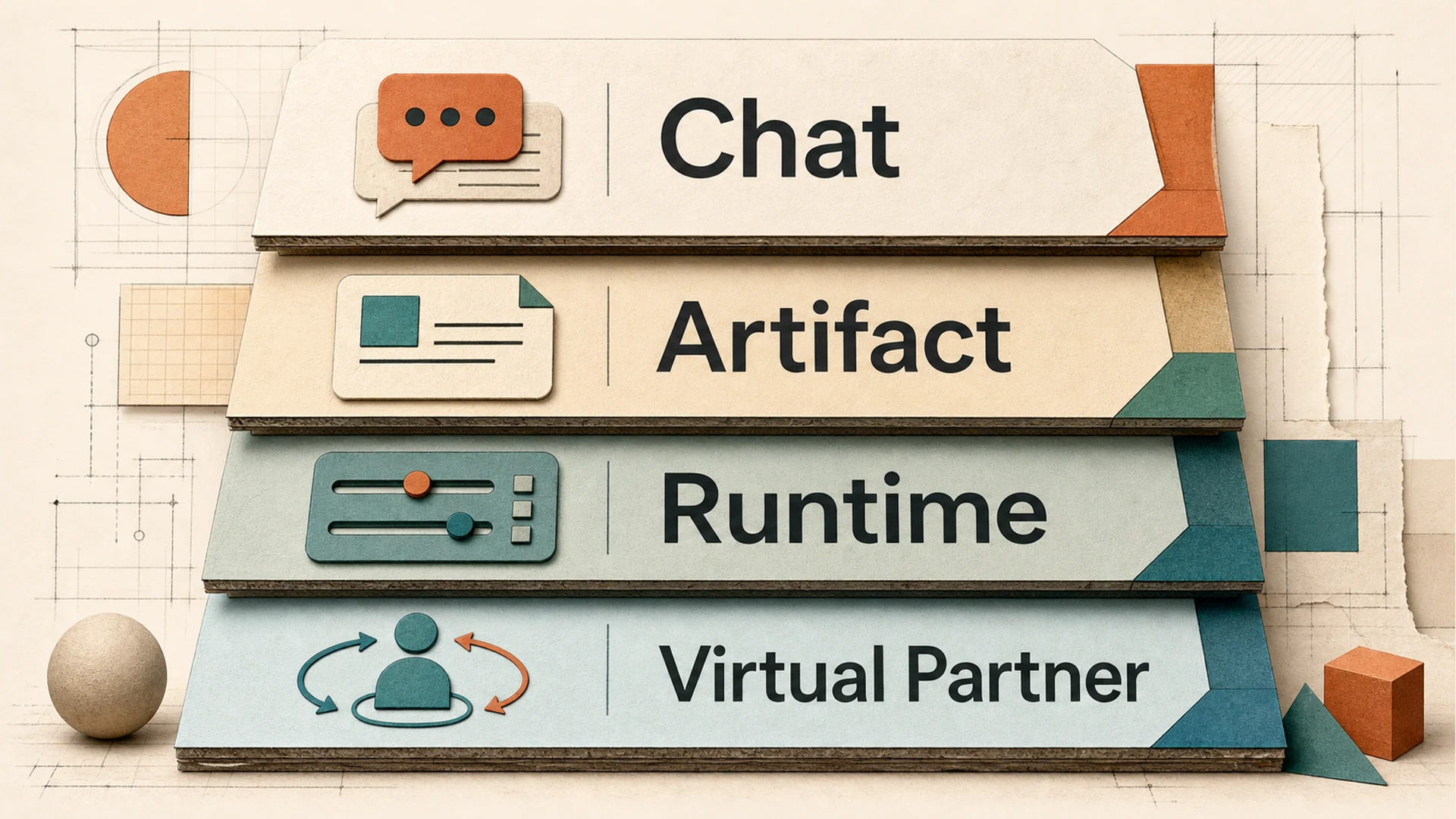 Four layers of AI work: Chat, Artifact, Runtime, and Virtual Partner
1. Why the chat box is not enough
The chat box is excellent for turn-taking. It is weak at preserving work boundaries.
A single transcript mixes several kinds of information:
- user intent;
- model reasoning and intermediate assumptions;
- tool results;
- drafts that may or may not become deliverables;
- decisions that should persist;
- temporary failures that should not define the final state;
- action history that may need audit or replay.
That mixture is tolerable for a short Q&A session. It becomes fragile when AI is asked to run a multi-step workflow, coordinate with files, use tools, or hand off work between sessions. Developers already know this from software systems: logs, source files, builds, tests, deployment state, and issue comments are related, but they should not be stored as one undifferentiated string.
The same principle applies to AI workspaces. Once AI becomes part of a serious workflow, the workspace must distinguish conversation from output, output from runtime state, and runtime state from long-term decision memory.
2. Four design questions for post-chat AI workspaces
Question 1: What counts as the work object?
A response is ephemeral. An artifact is durable.
In a chat-first system, the default unit of value is an answer. In a workspace-first system, the unit of value is often a work object: a document, code patch, research table, diagram, test plan, decision log, spreadsheet, presentation, or task board. That object should have state. It should survive beyond the turn that produced it. It should be reviewable without replaying the entire conversation.
This is why artifact and canvas patterns have become important. Claude describes Artifacts as standalone substantial content, typically more than 15 lines, and its support documentation lists persistent storage of 20 MB per artifact. ChatGPT Canvas similarly treats longer generated content differently; OpenAI states that Canvas may open automatically for generated content over 10 lines. These are small product details, but they signal a broader direction: important AI output needs a surface of its own.
The deeper architectural question is not whether a product opens a side panel. It is whether the artifact has a lifecycle: draft, inspect, revise, validate, complete, and possibly hand off.
Question 2: Where is runtime truth?
A transcript is a record of conversation. It is not always the best source of truth for execution.
When an agent edits files, calls external tools, opens a browser, reads documents, or runs tests, the workspace needs to know more than what the model said. It needs to know what was attempted, what completed, what failed, what changed, and what evidence supports the result. The execution controller and the transcript should be related, but not identical.
This separation matters for three reasons.
First, it improves reliability. The user should be able to ask: did the system actually run the check, or merely claim that it did?
Second, it improves recovery. Long-running work often fails halfway through. A workspace that understands execution state can resume or reroute more safely than a chat thread that only contains partial narration.
Third, it improves governance. In team environments, the audit trail should distinguish instruction, action, result, and decision. That is especially important when agents operate across repositories, documents, SaaS systems, and local materials.
The principle is simple: the transcript should explain the work, but it should not be the only place where the work exists.
Question 3: How many parallel surfaces can the user hold?
AI work is becoming multi-window.
The old pattern was one user and one assistant in one thread. The newer pattern is a workspace with several layers:
- Workspace: the durable boundary around a body of materials, sessions, and preferences.
- Session: a task-focused conversation or workstream.
- Tab: a visible unit of parallel attention.
- Pane: a local surface for an artifact, browser, terminal, document, or comparison view.
- Window: an operating-system-level container for different phases or projects.
This hierarchy is not cosmetic. It reflects how real work happens. A developer may keep one session focused on architecture trade-offs, another on implementation, another on testing, and another on release notes. An architect may compare cloud-agent behavior in one pane while drafting an internal standard in another. A writer may run research, outline, source checking, and image production in parallel.
The workspace has to preserve enough context for each surface without leaking everything everywhere. A good multi-window AI workspace is not simply more screen real estate. It is a context partitioning system.
Question 4: Who keeps continuity?
The next step after artifacts and windows is a workspace-level partner.
This partner should not be understood as an avatar or decorative assistant. The useful version is closer to an orchestrator: it understands the workspace goal, decomposes work, delegates subtasks, tracks progress, detects missing evidence, and summarizes decisions. It is responsible for continuity across sessions, not for pretending to be a person.
The user still owns judgment. The partner maintains operational memory.
This is where the concept of a virtual partner, or sprite-like workspace presence, becomes technically meaningful. It can help answer questions such as:
- Which sessions are active, blocked, or complete?
- Which artifact is the current candidate deliverable?
- Which assumptions have not been verified?
- Which branch of work should be merged into the final output?
- Which context should remain isolated because it belongs to a different task or permission boundary?
In other words, the virtual partner is a coordination layer.
3. Artifact discipline: from replies to deliverables
Artifacts are often introduced as a user-interface feature, but the more important idea is discipline.
Claude Artifacts and ChatGPT Canvas both show that generated work needs a separate editable surface. Claude Projects also adds a broader project context model: Anthropic describes Projects as supporting a 200K context window, roughly equivalent to a 500-page book. ChatGPT Projects applies workspace-like boundaries around chats, files, and instructions, with plan-dependent file and collaborator limits. These products are converging on the same observation: users need persistent context and persistent outputs.
For MCPlato, the relevant public principle is not “we have another document panel.” It is that an AI-native workspace should make outputs stateful and reviewable. A practical artifact discipline includes:
- stateful deliverables, not only conversational snippets;
- phase awareness, so a draft, candidate, and final output are not treated the same;
- context and tool isolation, so one workstream does not accidentally inherit unrelated assumptions or permissions;
- completion checks, so “done” means evidence was gathered and constraints were met, not merely that the model stopped generating text;
- decision trace, so a user can understand why the artifact looks the way it does.
This is deliberately less magical than the phrase “autonomous agent.” It is also more useful. Most professional users do not need an AI that acts independently forever. They need AI that leaves behind objects they can trust, inspect, and modify.
4. Runtime and the monolith problem
Many AI products begin as a monolith: a chat thread, a tool runner, a file picker, a memory layer, and a UI bundled together. That is natural for early product velocity. It becomes limiting when workflows grow.
A workspace runtime has to coordinate at least four different truths:
- Conversation truth: what the user asked and what the assistant replied.
- Material truth: what source files, documents, pages, and data were used.
- Execution truth: which actions were performed and what results came back.
- Decision truth: what the team accepted, rejected, deferred, or shipped.
If all four are collapsed into the transcript, the workspace becomes difficult to inspect. If they are separated without a coherent user experience, the system becomes fragmented. The challenge is to separate concerns while keeping the work legible.
For developers and architects, this maps directly to familiar design patterns. You do not want application logs to be your database. You do not want a CI job transcript to be your release artifact. You do not want a design meeting recording to be the only architecture decision record. AI workspaces need the same separation.
The best runtime is therefore not the one that hides everything behind a smooth chat animation. It is the one that can show what happened when the answer matters.
5. Multi-window context: from one thread to many work surfaces
The more capable agents become, the less sufficient a single thread becomes.
A single-thread model encourages users to serialize work that is naturally parallel. Research waits for drafting. Drafting waits for source checks. Source checks wait for formatting. Implementation waits for design confirmation. Testing waits for implementation. This is safe but slow, and it places too much cognitive load on the user to remember which turn contained which branch.
A multi-window AI workspace should support parallelism without losing coherence. The key is not merely running several agents at once. It is giving each workstream a clear boundary and then providing a way to reconcile them.
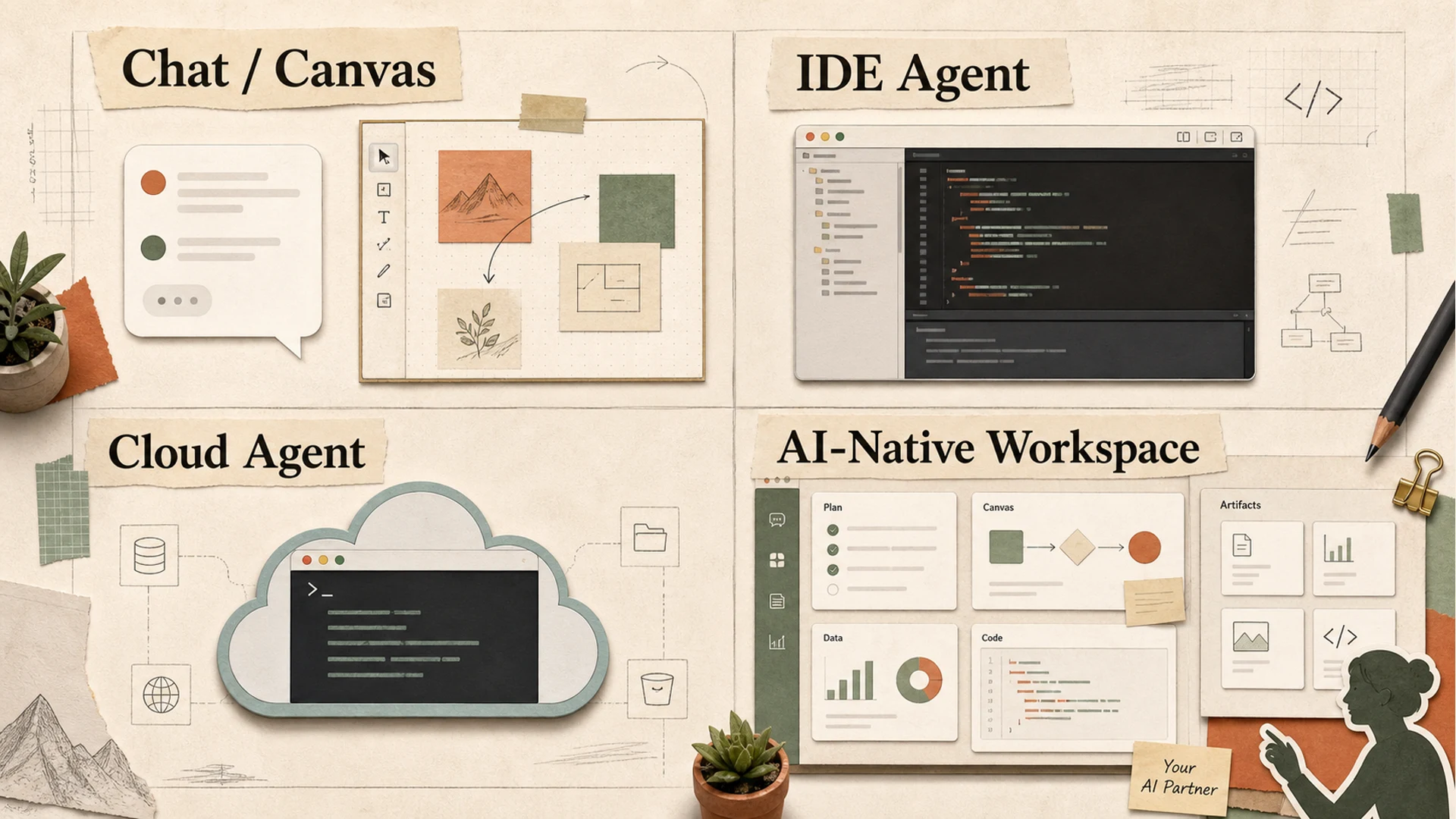 Workspace comparison map: Chat/Canvas, IDE Agent, Cloud Agent, and AI-Native Workspace
Different product categories optimize for different surfaces:
| Surface | Center of gravity | Strength | Limitation |
|---|---|---|---|
| Chat / canvas | conversation plus editable output | fast ideation and drafting | weak multi-stream coordination |
| IDE agent | codebase and developer loop | strong local implementation context | narrower beyond software workflows |
| Cloud autonomous agent | long-running remote execution | useful for delegated tasks | harder to inspect and govern if opaque |
| AI-native workspace | sessions, artifacts, tools, and orchestration | better fit for cross-functional work | more product complexity and governance burden |
This is why the post-chat workspace is unlikely to be one universal UI. It will be a layered environment that can host several modes of work.
6. Virtual Partner / Sprite: orchestration, not theater
The “virtual partner” idea can easily become gimmicky. A face floating above the workspace does not solve context management.
The useful version is operational. It should behave like a workspace-level coordinator that can:
- translate a high-level goal into sub-workstreams;
- assign those workstreams to separate sessions or agents;
- keep track of blockers, open questions, and finished outputs;
- decide when an artifact is ready for user review;
- summarize differences between competing drafts or branches;
- preserve decision history across days, not only turns.
The distinction matters. A chatbot is an interlocutor. A virtual partner is a coordinator.
For MCPlato, this is one of the more important public design directions: an AI-native workspace should help users operate multiple AI sessions as a coherent partner system. That does not mean removing the human. It means reducing the human’s burden of being the only scheduler, memory keeper, and merge manager.
The honest boundary is that orchestration is difficult. It requires clear permissions, visible state, and good failure handling. A workspace partner that silently delegates work without showing status would be worse than a chat box. The partner must make coordination inspectable.
7. Competitor comparison: what the numbers reveal
The market is already moving toward structured workspaces, but different vendors are proving different points.
Claude and ChatGPT: from chat to project context and editable surfaces
Claude Projects shows the power of large shared context. Anthropic states that Projects use a 200K context window, roughly a 500-page book. Claude Artifacts then provides a separate surface for substantial standalone outputs, with Anthropic’s documentation describing artifacts as typically more than 15 lines and listing 20 MB per artifact of persistent storage.
ChatGPT Canvas reflects a similar pattern for generated content. OpenAI says Canvas may open automatically when generated content is over 10 lines. ChatGPT Projects adds project-level organization around chats, uploaded files, instructions, and collaborators, with limits depending on plan and workspace settings.
These products validate artifact and project boundaries, but they still tend to center the user experience around a primary assistant conversation.
GitHub Copilot and Cursor: the codebase as workspace
Developer tools show a different gravity center: the repository.
Microsoft reported that GitHub Copilot had 20 million users, was used by 90% of the Fortune 100, and saw Copilot Enterprise customers grow 75% quarter over quarter in FY2025 Q4. GitHub’s Copilot Workspace announcement also framed GitHub around more than 100 million developers and cited an “up to 55%” productivity claim for Copilot.
Cursor’s Series D announcement shows how much value investors and developers now attach to this layer. Cursor said it raised $2.3 billion at a $29.3 billion post-money valuation, had crossed $1 billion in annualized revenue, served millions of developers, and had more than 300 employees.
These numbers make clear that developer workspaces are not side features. They are becoming primary AI operating environments.
Replit and Devin: cloud execution as workspace
Cloud agents push the workspace boundary away from the local machine.
Replit Agent 3 is positioned around longer autonomous execution: Replit says it can work for up to 200 minutes, is 10x more autonomous, and makes testing 3x faster and 10x more cost-effective. Separately, Replit announced a $400 million raise at a $9 billion valuation, described more than 50 million users, said it serves 85% of the Fortune 500, and stated it was on track for a $1 billion run-rate revenue by the end of 2026.
Devin’s public pricing also reflects the operationalization of agent work: its pricing page lists Pro at $20/month, Max at $200/month, Teams at $80/month, and up to 10 concurrent sessions on relevant plans.
These products emphasize delegation and execution. The risk is inspectability: users need to see not only the final result, but the path taken and the assumptions made.
Manus and Notion: breadth versus workspace memory
Manus Wide Research highlights another dimension: parallel breadth. Its documentation describes hundreds of independent agents, tests up to 250 items, 50–100 items in minutes, and claims traditional AI degrades beyond 8–10 items. Whether one agrees with every benchmark framing or not, the product direction is clear: scale work by forking many independent units.
Notion approaches the problem from knowledge and organizational memory. Its custom agents documentation describes post-trial pricing at $10 per 1,000 credits and usage notifications at 80% and 100%. This is less about agent autonomy and more about embedding AI into durable team knowledge surfaces.
The common signal across these categories is that AI is moving from answer generation toward managed work systems.
8. Where MCPlato fits
MCPlato fits in the AI-native workspace category rather than as a pure chat product, IDE, or cloud-only autonomous agent.
Its public value proposition is strongest for workflows where users need to coordinate multiple AI sessions across connected materials and produce reviewable outputs. In practical terms, that means work such as research-to-article pipelines, multi-source analysis, document production, task decomposition, cross-session review, and developer/architect workflows that require traceable decisions.
The distinctive thesis is not that MCPlato replaces every specialized tool. It does not. Cursor and GitHub Copilot are closer to the inner loop of coding. Claude and ChatGPT are strong general-purpose model interfaces. Replit and Devin focus on cloud execution and software delegation. Notion is deeply embedded in team knowledge bases.
MCPlato’s opportunity is the coordination layer between those patterns:
- session-based work, so different task threads can remain separate but connected;
- local-first material handling, where appropriate, so users can work with connected directories and files without turning every task into a cloud upload pattern;
- artifact discipline, so outputs become deliverables rather than lost chat snippets;
- multi-window context, so parallel workstreams can stay visible;
- virtual partner orchestration, so the workspace can help decompose, delegate, track, and summarize;
- decision trace, so users can review what changed and why.
The boundary is equally important. MCPlato should not pretend that orchestration removes the need for review. Multi-session AI work can amplify errors if context boundaries are unclear. Local-first workflows still require careful permission management. Artifact completion checks reduce risk, but they do not guarantee correctness. A virtual partner can track work, but it must expose its assumptions and status.
That is the right trade-off. The goal is not fully autonomous magic. The goal is a workspace where AI work becomes inspectable, interruptible, and composable.
9. Conclusion: the workspace is the product
The chat box will remain useful. It is the fastest way to ask, clarify, and iterate. But it is no longer sufficient as the primary container for serious AI work.
The post-chat AI workspace needs four layers:
- Chat for intent and dialogue.
- Artifacts for durable work objects.
- Runtime for execution state, evidence, and recovery.
- Virtual partners for cross-session coordination and continuity.
The winners in this category will not simply have the smartest assistant. They will make AI work legible: what is being made, where it came from, what ran, what failed, what was accepted, and what remains unresolved.
For developers and architects, this is a familiar lesson. Systems become trustworthy when their state is explicit, their boundaries are clear, and their outputs can be inspected. AI workspaces are finally starting to learn the same rule.
References
- Anthropic, “Introducing Projects,” https://www.anthropic.com/news/projects
- Anthropic Support, “What are Artifacts and how do I use them?”, https://support.claude.com/en/articles/9487310-what-are-artifacts-and-how-do-i-use-them
- OpenAI Help Center, “What is the Canvas feature in ChatGPT and how do I use it?”, https://help.openai.com/en/articles/9930697-what-is-the-canvas-feature-in-chatgpt-and-how-do-i-use-it
- OpenAI Help Center, “Projects in ChatGPT,” https://help.openai.com/en/articles/10169521-projects-in-chatgpt
- Microsoft Investor Relations, “FY25 Q4 Earnings,” https://www.microsoft.com/en-us/investor/events/fy-2025/earnings-fy-2025-q4.aspx
- GitHub Blog, “GitHub Copilot Workspace,” https://github.blog/news-insights/product-news/github-copilot-workspace/
- Replit Blog, “Introducing Agent 3,” https://replit.com/blog/introducing-agent-3-our-most-autonomous-agent-yet
- Replit Blog, “Replit raises $400 million,” https://replit.com/blog/replit-raises-400-million-dollars
- Devin, “Pricing,” https://devin.ai/pricing/
- Manus Docs, “Wide Research,” https://manus.im/docs/features/wide-research
- Cursor Blog, “Series D,” https://cursor.com/blog/series-d
- Notion Help, “Everything you can do with Notion AI,” https://www.notion.com/help/guides/everything-you-can-do-with-notion-ai