
AI Agents Are Moving From Chat Answers to Task Execution
AI agents are evolving from chatbots that answer questions into task executors that plan work, use tools, request human approval, and deliver files. This article explains what Manus, Genspark, Claude Computer Use, Operator-style agents, and MCPlato reveal about the next everyday workflow.
AI Agents Are Moving From Chat Answers to Task Execution
AI agents have become one of the clearest signals that the next phase of AI is not only about better answers. The important shift is from a chat window that responds to a prompt toward a working partner that can understand a goal, break it into steps, use tools, ask for confirmation when needed, and return a finished artifact.
That is why products such as Manus, Genspark, Claude Computer Use, OpenAI Operator and ChatGPT Agent, Google Project Mariner, Perplexity Comet, Microsoft Copilot agents, Zapier Agents, Dify, AutoGPT, and others are attracting attention. They are not all the same product, and they should not be reduced to a scoreboard. Together, they show a pattern: AI is moving from conversation into execution.
For ordinary users, content creators, marketers, founders, and knowledge workers, this matters because most real work is not a single question. A campaign brief becomes research, a spreadsheet, a slide deck, a video script, source materials, review, and follow-up tasks. An agent is useful only when it can carry that chain forward without losing the user’s intent.
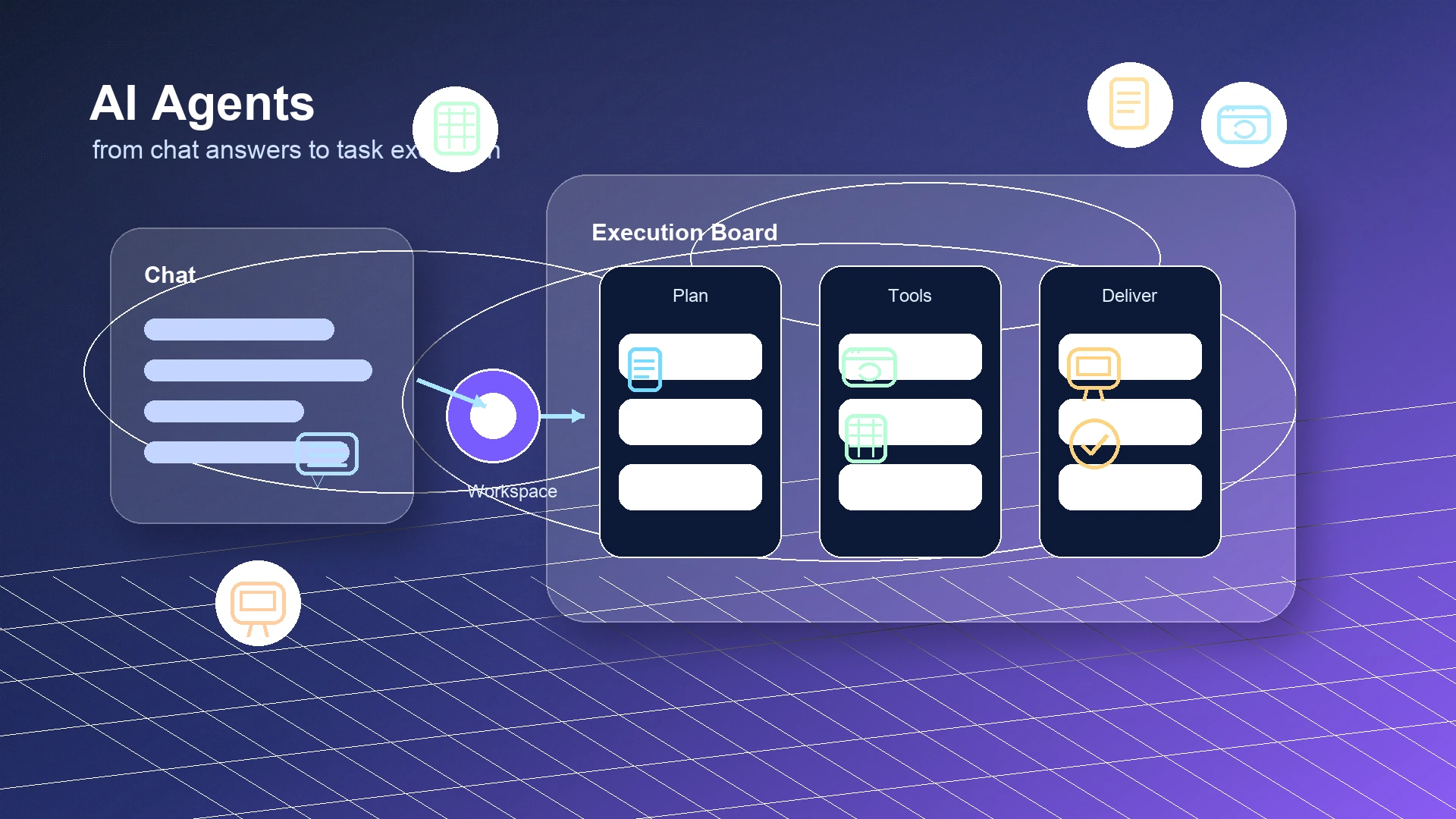 A modern AI workflow cockpit moving from a chat box into task cards, files, browser work, spreadsheets, and presentation artifacts
From chatbot to agent: the practical difference
A chatbot is optimized for dialogue. You ask a question, it replies. You clarify, it revises. This is still valuable. A good assistant can summarize, brainstorm, translate, draft, explain, and reason with you. But the interaction usually remains centered on language.
An AI agent adds an execution loop. It starts with a goal, then decides what needs to happen next. It may search the web, inspect files, operate a browser, write code, clean a spreadsheet, draft a document, prepare slides, schedule a reminder, or ask a human to approve a risky step. The output is not just a paragraph. It can be a report, table, deck, script, processed folder, research memo, or automated routine.
The difference sounds simple, but it changes the product category. The key questions become:
- Can the agent preserve enough context to complete a multi-step job?
- Can it choose the right tool for the task instead of forcing everything into chat?
- Can the user see what happened, review the result, and correct the workflow?
- Can permissions, sensitive files, payment actions, publishing, and external messages be controlled?
- Can the work be repeated tomorrow without rebuilding the process from scratch?
This is why safety is not a side issue. Tool-using agents are more powerful because they can affect the outside world. That also means they need boundaries: restricted environments, least-privilege permissions, limited network access for sensitive jobs, and human confirmation for important actions. Anthropic’s documentation for computer use, for example, describes an agent loop where Claude can inspect screenshots and use computer tools, while its public guidance emphasizes protective environments and human approval for high-impact actions. OpenAI’s Operator materials similarly describe confirmation before sensitive actions.
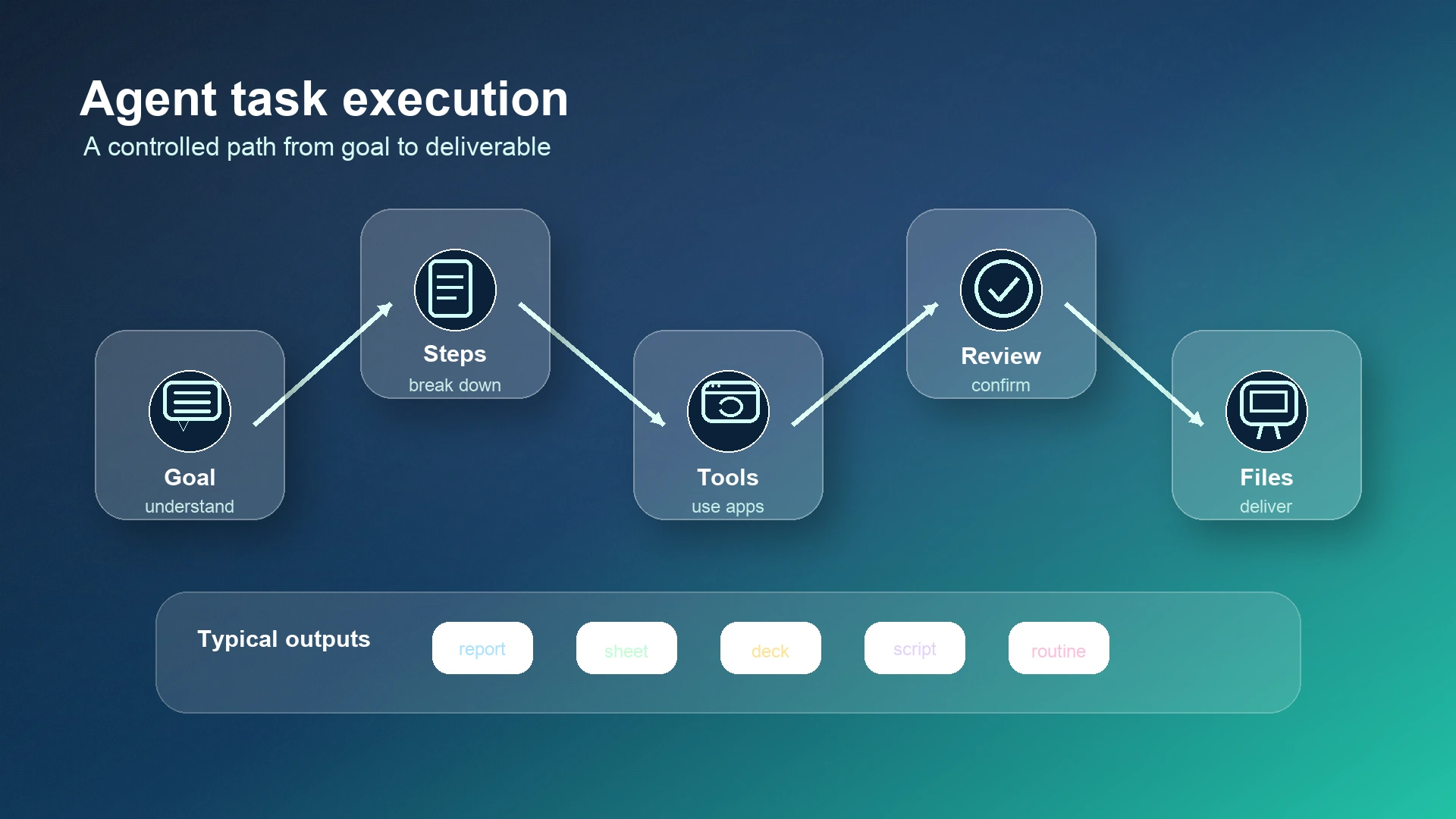 A clean five-step agent workflow: understand the goal, break down work, use tools, ask for human review, and deliver files
What current AI agent products reveal
The most useful way to read the current market is not “which product wins?” It is “which direction of agent work does each product make visible?”
Manus represents the idea of an agent as a work-delivery system. Its public materials describe an AI Agent Toolkit for delivering work, with Agent Skills, Project Skills, a My Computer / Desktop environment, a Browser Operator, Cloud Computer, Scheduled Tasks, and Wide Research. The direction is clear: an agent should not only chat about a job; it should have a working environment, reusable skills, research capacity, and ways to come back to recurring tasks.
Genspark shows another direction: the agent as an artifact and workspace engine. Its public pages and announcements describe Autopilot Agent, Deep Research, Super Agent, AI Slides, AI Sheets, AI Browser, multi-agent orchestration, Custom Super Agent, and AI Workspace 4.0. The interesting point is not any single feature name. It is the move toward agents that create usable outputs across slides, sheets, browsing, and workspace context.
Claude Computer Use makes the “AI operator” metaphor concrete. Anthropic introduced computer use as a capability where Claude can inspect screenshots and use a computer by moving a cursor, clicking, and typing through tools, as described in its announcement and tool documentation. The everyday lesson is simple: if a person can perform a browser or desktop task visually, an agent may assist with parts of that flow. The same materials also show why controlled environments, permissions, and confirmation matter.
OpenAI’s Operator and later agent work point in the same broad direction. The Operator research preview introduced a Computer-Using Agent that could interact with a browser through a visual interface, cursor, and keyboard. OpenAI’s Deep Research materials describe longer research tasks that can take minutes and produce cited outputs. Its ChatGPT Agent system card describes a broader agent combining research, browser, terminal, connectors, and artifact-style outputs such as slides and spreadsheets. The product lesson is that the chat surface is becoming a command center for tools, not just a place to receive text.
Other products add important signals. Google’s Project Mariner and Gemini Deep Research emphasize browser-control research, planning, and user approval, as described in Google’s Gemini update and Deep Research materials. Microsoft’s Build 2025 blog frames the “age of AI agents” around Copilot agents and Copilot Studio, including the public claim that more than 230,000 organizations and 90% of the Fortune 500 had used Copilot Studio. Zapier Agents points toward agents connected to more than 9,000 apps. Dify and AutoGPT represent the builder and agentic-workflow side of the market.
The pattern is bigger than any one brand: agents are becoming browsers, researchers, operators, workflow builders, file producers, spreadsheet assistants, slide makers, and scheduled workers.
Why ordinary users need agents, not just more chat windows
Most people do not wake up wanting “an autonomous agent.” They want the weekly report done, the customer research summarized, the launch deck prepared, the file folder cleaned, the social posts drafted, or the competitor moves tracked. Chat helps at the start, but real work quickly leaves the chat box.
A content creator may need topic research, script outlines, thumbnail ideas, source verification, subtitles, publishing notes, and a calendar. A marketing team may need campaign positioning, landing-page copy, spreadsheets of channels, ad variants, assets, and approval records. A founder may need investor research, user feedback analysis, a pitch deck, follow-up emails, and a weekly operating memo. A knowledge worker may need dozens of files turned into a decision brief.
The agent promise is not magic autonomy. It is continuity. Instead of asking a model to answer the same background questions over and over, the user can give it a workspace, materials, tools, constraints, and a target artifact. The agent can keep moving through the steps while the human stays responsible for direction, judgment, approvals, and final use.
That is also why the best agents should be boring in the right way. They should make work traceable, reviewable, and repeatable. A flashy demo that clicks through a website is less valuable than a dependable flow that produces the same kind of weekly report, with sources and files attached, every Monday.
How MCPlato turns agent ability into real workflow
MCPlato starts from the idea that useful AI work needs a place to live. A one-time chat can answer a question, but a serious task needs context, files, tools, roles, checkpoints, and deliverables. MCPlato’s public site describes it as an AI workspace for working with local materials, browser actions, files, media, spreadsheets, and ongoing tasks, while ClawMode connects external channels and long-running work to an AI Partner workspace.
The difference is practical. In MCPlato, a Workspace can preserve project context: source documents, notes, browser findings, images, spreadsheets, and previous decisions. Files and tools let the agent move from saying what should happen to doing parts of the work. A Wand turns a specific output pattern—such as a deck, video, document, or other artifact—into a repeatable workbench. ClawMode helps handle longer tasks and external channels, so requests can become tracked work and results can return where the user or team expects them.
This does not mean removing the human. It means placing the human at the right control points. The user defines the goal, grants access, checks sensitive actions, reviews the output, and decides what gets sent, published, or reused. For real workflows, that is more useful than pretending an agent should operate without oversight.
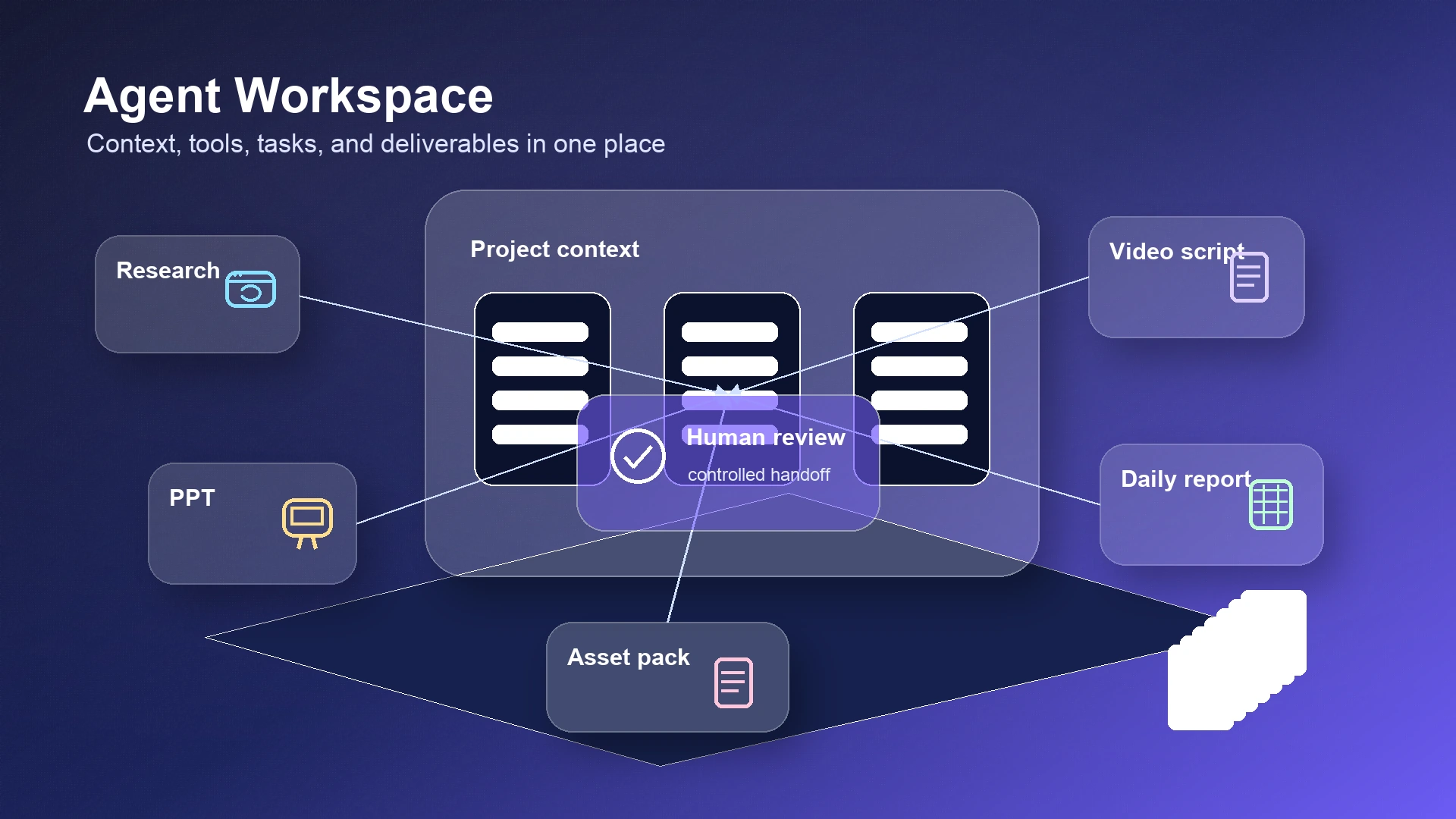 A knowledge worker’s AI agent workspace with research, slide deck, video script, asset pack, daily automation, files, and review checkpoints
Concrete workflows where agents become useful
Content creation. A creator can start with one brief and let the agent collect source material, propose angles, draft an article, generate supporting visuals, prepare a short-video script, and package final files. The key is not that AI writes everything alone. The key is that research, drafting, review, media assets, and export live in one workflow.
Marketing campaigns. A marketer can ask for a launch kit: audience research, message hierarchy, landing-page copy, email variants, social posts, ad concepts, and a delivery checklist. An agent can turn the campaign from a conversation into a folder of usable materials.
Competitive research. Instead of asking for a quick summary of competitors, a founder can run a repeatable research workflow: gather official product pages, summarize positioning, compare pricing claims, capture citations, produce a table, and create a weekly update. The agent does the busywork; the human interprets what matters.
PPT and presentation work. A slide deck is rarely just slides. It includes audience assumptions, narrative structure, evidence, charts, images, speaker notes, and export formatting. A Wand-style workflow can make presentation production less dependent on one giant prompt and more like a staged workbench.
Video planning. A team can move from concept to outline, shot list, voiceover draft, subtitles, thumbnail direction, and asset folder. The agent’s value is coordination across text, media, files, and review rounds.
File processing. Many knowledge jobs are really file jobs: rename, sort, extract, summarize, convert, compare, and deliver. Agents become useful when they can work with documents, spreadsheets, images, PDFs, and local folders while keeping outputs inspectable.
Daily task automation. Recurring work is where agents become part of a routine: a daily digest, a Monday marketing scan, a weekly sales note, a content calendar update, or a customer feedback summary. The user should still approve important external actions, but preparation can be automated.
The real value is not automation theater
AI agents will keep improving, but the most valuable direction is not “let the machine do everything.” The valuable direction is making real work easier to complete: fewer forgotten steps, less repeated context-setting, better source tracking, cleaner handoffs, and more durable deliverables.
That is why the agent conversation should stay grounded. Manus, Genspark, Claude Computer Use, Operator-style systems, browser agents, Copilot agents, Zapier workflows, and open agent platforms all show pieces of the same transition. The winning pattern for users is not a single spectacular demo. It is a controlled workflow where the agent understands the task, uses the right tools, asks for confirmation at the right time, and returns something the user can actually use.
If you also want to move AI agents from one-time chat into a sustainable workflow, start with one real task. Choose something concrete: a weekly report, a campaign kit, a research brief, a slide deck, a video script, or a folder cleanup. Give the agent the context, define the deliverable, keep approval points in place, and judge success by the finished work—not by how futuristic the demo looks.
References
- Manus AI Agent Toolkit, Agent Skills, Browser Operator, Cloud Computer, Scheduled Tasks, and Wide Research
- Genspark Super Agent, AI Slides, AI Sheets, AI Browser, Multi-Agent Orchestration, and AI Workspace 4.0
- Anthropic: Introducing computer use, computer use tool documentation, and advanced tool use
- OpenAI Operator, Operator system card, Deep Research materials, and ChatGPT Agent system card
- Google Gemini and Project Mariner update and Gemini Deep Research
- Microsoft Build 2025: the age of AI agents
- Zapier Agents
- Perplexity Comet
- Dify and AutoGPT
- MCPlato official website and MCPlato ClawMode