
The Agent Control Room: Why Office AI Needs Observable Work, Not Just Autonomous Clicks
Computer-using office agents are moving from chat assistance into real app operation. The next product frontier is an observable, permissioned AI workspace where agent work can be supervised, recovered, and turned into artifacts.
Office AI crossed a line last week.
Microsoft expanded Copilot Studio around computer-using agents, workflows, Work IQ, agent-to-agent coordination, and real-time voice experiences; its computer-using agents are now generally available and can interact with websites and desktop apps through the user interface.12 Google pushed Workspace agents in a similar direction: a public developer preview for Workspace MCP servers exposes Gmail, Drive, Calendar, Chat, and People capabilities to MCP-capable agents while inheriting user permissions and governance controls.34 Workspace Studio also added more granular admin controls for steps and starters, including controls by service, individual step, domain, organizational unit, or group.5
The trend is bigger than any single vendor announcement. Office AI is moving from “help me write a paragraph” toward “read my workspace context, operate an app, trigger a workflow, coordinate with another agent, and come back with a result.”
That is useful. It is also risky. The product frontier is no longer only can the model click? It is can the workspace make agent work observable, permissioned, recoverable, and useful as artifacts?
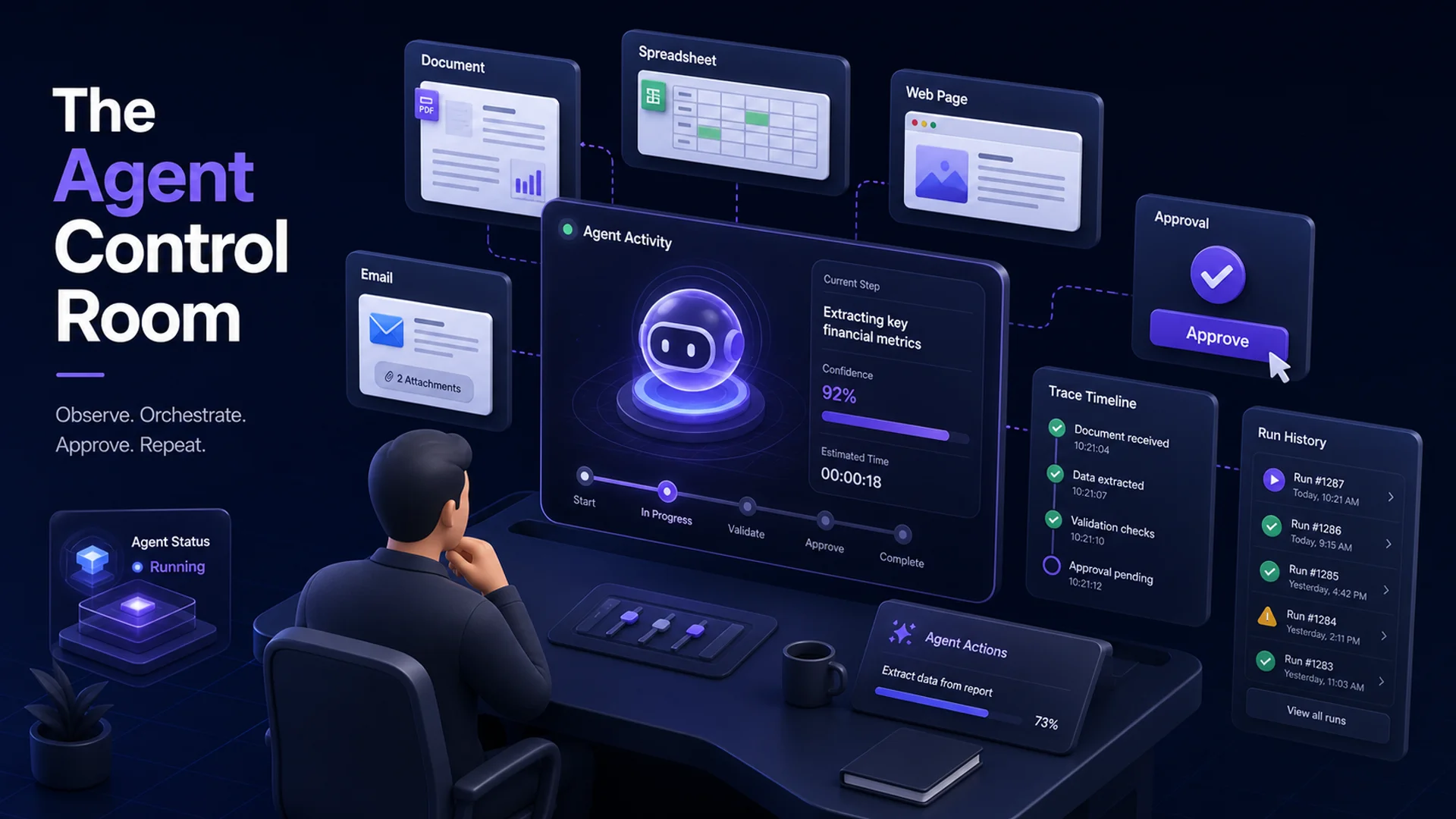 An isometric agent control room for office work
Figure 1: The next office AI product pattern looks less like a smarter chatbox and more like a control room for accountable agent work.
From chat assistant to office operator
The first wave of office AI lived mostly inside text:
- summarize this thread;
- draft a reply;
- rewrite this paragraph;
- answer a question from a document;
- create a first version of a slide or spreadsheet.
That mode still matters. But the new mode is operational. Agents are being connected to calendars, documents, mailboxes, drives, workflows, browsers, and desktop apps. They do not just respond; they take steps.
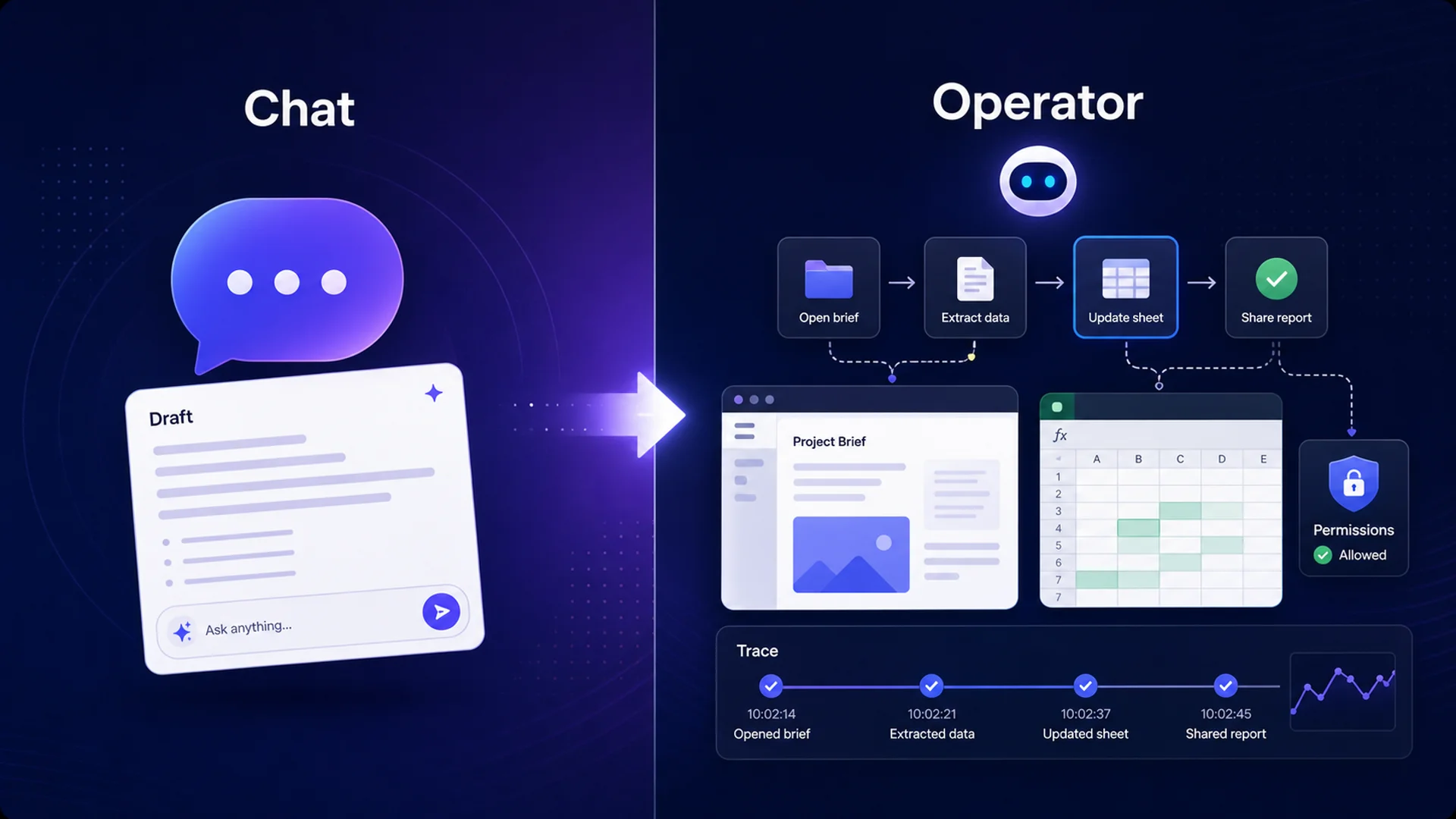 A split diagram showing chat assistant work evolving into office operator work
Figure 2: The shift from assistant to operator changes the user’s trust problem. A draft can be edited later; an action needs controls before, during, and after execution.
This is why office AI is starting to resemble an execution environment. The agent needs context, credentials, app access, runtime state, a way to ask for approval, and a way to leave behind evidence of what happened.
For a user, that changes the core questions:
- What data did the agent use?
- Which page, app, or file did it open?
- What did it click or change?
- Why did it stop?
- Who approved the access?
- What artifact did it leave behind?
If the product cannot answer those questions, autonomy creates a visibility debt.
Autonomy creates a visibility debt
The governance concern is not hypothetical. Okta’s 2026 agentic enterprise security survey covered 292 executives and 492 knowledge workers across seven countries. It found that 52% of employees used unapproved AI tools, 58% of executives reported an AI-related security incident or close call in the past year, and only 34% of organizations apply the same controls to agentic labor as they do to the human workforce.6
That is the shadow-AI problem, now with action capability. A chatbot that drafts an email may create quality risk. An agent that can access files, trigger workflows, and operate apps can also create access, compliance, and accountability risk.
Gartner’s recent warning points in the same direction: by 2027, 40% of companies may decommission AI agents because of governance gaps. Gartner recommends proportional governance based on autonomy level instead of applying the same control model to every agent.78
That framing matters. A low-risk summarization assistant should not need the same process as an agent that touches finance systems or changes customer records. But as soon as an agent can act, the workspace needs a control model that scales with autonomy.
Why computer-use agents are fragile in real office work
Computer-use agents are exciting because the modern office is full of software that was not designed for clean automation. Legacy systems, browser-only workflows, dynamic user interfaces, login walls, approval modals, file pickers, CAPTCHAs, and policy prompts are everywhere.
That is exactly why UI-operating agents are useful. It is also why they are brittle.
A human understands when a modal changed, a login expired, a field moved, or a policy approval is needed. An agent may need a live view, a recording, a resumable session, and a human-in-the-loop checkpoint to avoid turning small UI ambiguity into silent failure.
Infrastructure vendors are already signaling this pattern. Cloudflare Browser Run supports full Chrome sessions for agents, Live View, session recordings, and human-in-the-loop intervention.9 Its agent documentation also treats human-in-the-loop as a first-class concept for reviewing and approving or rejecting proposed tool calls before execution.10
The lesson is not “browser agents are bad.” It is that browser agents need a control plane. In office work, the control plane is not optional; it is the product.
The emerging agent control room pattern
The next generation of office AI will likely be judged less by how autonomous it looks in a demo and more by whether it can make work accountable in production.
A practical “agent control room” has seven parts:
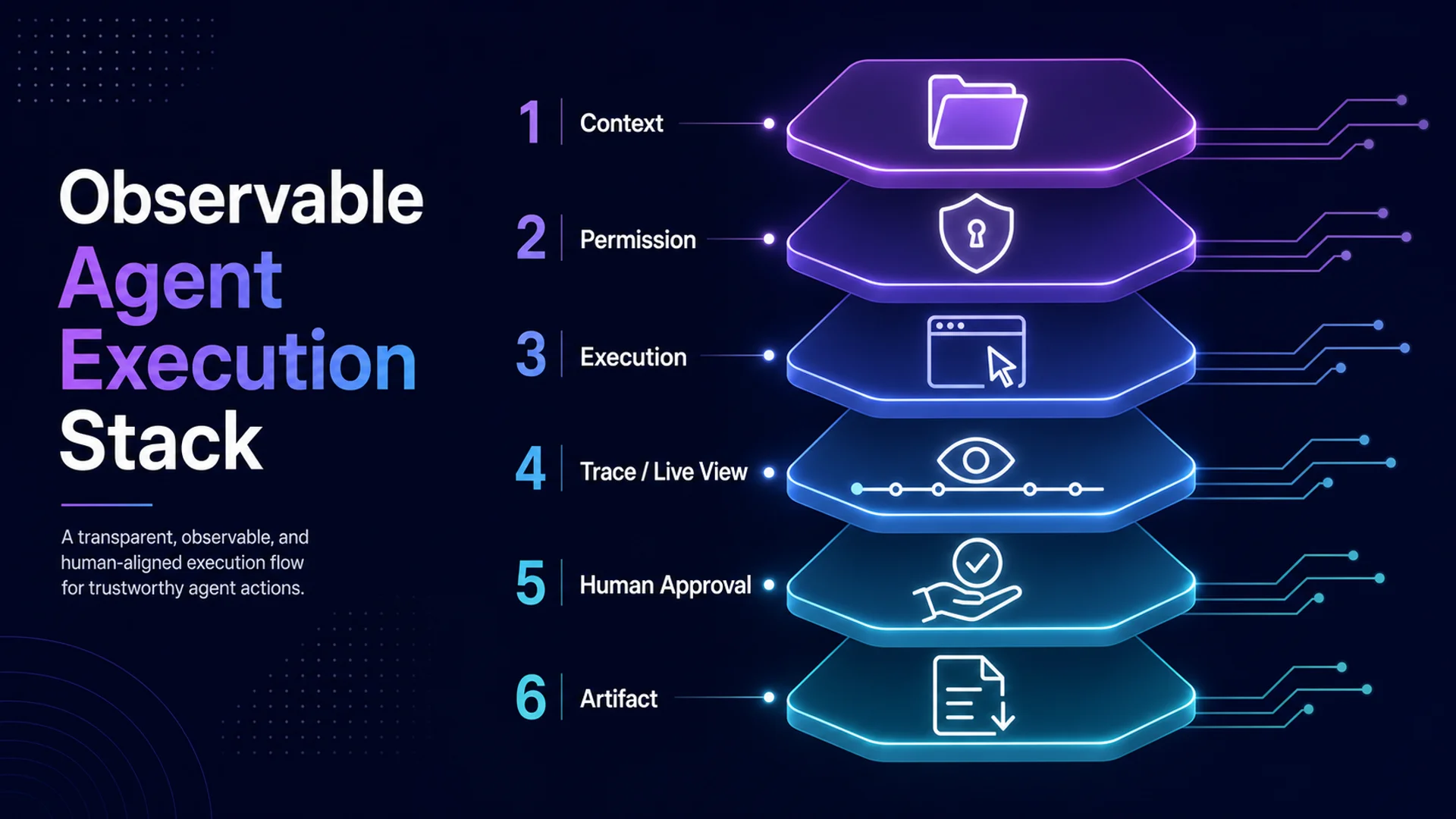 A layered observable agent execution stack
Figure 3: Observable office-agent execution needs more than a model and a browser. It needs a stack for context, permission, execution, traces, approval, and artifacts.
| Control room layer | What it should answer |
|---|---|
| Workspace context | What materials, files, sessions, and prior decisions are relevant to this task? |
| Scoped permission | What can the agent read, write, click, or trigger for this run? |
| Observable execution | What is happening now, and what happened step by step? |
| Human-in-the-loop | Where does the agent pause for approval, correction, or escalation? |
| Session memory and state | Can long-running work resume without losing context or repeating unsafe steps? |
| Artifacts and handoff | What inspectable output did the agent produce: a document, table, report, issue, draft, or decision log? |
| Run history and recovery | If something fails, can the user see why, retry safely, or roll back the workflow? |
This is also why the “agent workspace” category is becoming important. A chat transcript is a weak container for multi-step work. Office work needs a place where context, permissions, live runs, approvals, files, and final artifacts can sit together.
Where MCPlato fits
This is the design direction MCPlato is built around: an AI workspace, not just a single chatbox.
For office-agent work, that distinction matters. A workspace can hold local materials as controlled context, coordinate multiple sessions for parallel or long-running work, and keep the user focused on the artifact that should exist at the end. MCPlato’s multi-session orchestration is useful when one stream is researching, another is drafting, another is checking sources, and another is waiting on a background step. ClawMode and async background tasks fit the same pattern when work should continue beyond a single live chat turn, with the user retaining permissioned visibility over what is happening.
The point is not that one product replaces Microsoft, Google, AWS, browser infrastructure, or enterprise governance suites. It does not. Native suite integrations and enterprise control towers have obvious strengths.
The point is narrower and more practical: as office AI becomes operational, users need a workspace layer that keeps agent work close to their materials, separates concurrent workstreams, asks for permission where appropriate, and ends in inspectable artifacts instead of vague assurances.
MCPlato’s natural role is in that workspace layer: helping people supervise AI work across sessions, files, browser context, and durable outputs.
Accountable autonomy is the product
The last year of office AI was about capability: better models, longer context, better tool use, and more app access. The next year will be about accountability.
Autonomy by itself is not enough. A product that can click faster than a human but cannot explain its context, permissions, trace, approval path, or artifact trail will struggle in real organizations. The winning office AI systems will make agent work visible enough to trust, constrained enough to govern, and durable enough to reuse.
The agent control room is the missing metaphor: not a robot wandering through apps, but a workspace where humans can see, guide, pause, resume, and inspect the work.
That is the difference between autonomous clicks and accountable autonomy.
References
Footnotes
-
Microsoft Copilot Studio Blog — Computer-using agents in Microsoft Copilot Studio are now generally available ↩
-
Microsoft Copilot Blog — New and improved computer-using agents, workflows, and real-time voice experiences ↩
-
Google Workspace Updates — Agent tools and security updates for Workspace developers ↩
-
Google Developers — Configure MCP servers for Google Workspace ↩
-
Google Workspace Updates — More granular admin controls for Workspace Studio steps and starters ↩
-
Okta — AI agents at work: 2026 agentic enterprise security ↩
-
CIO Dive — Enterprises risk agentic failure with uniform governance ↩
-
Gartner — Applying uniform governance across AI agents will lead to enterprise AI agent failure ↩